
How to Organize AI Prompt Tracking by Buyer Intent
Group AI visibility prompts around discovery, comparison and brand checks. Learn how to build campaigns, review sampled answers, and keep reporting useful.
Choose one intent for each campaign
An intent is the job the buyer is trying to complete. Keep the campaign specific enough that its results can inform a content or product decision.
| Campaign | Example prompt | What you want to learn |
|---|---|---|
| Category discovery | Which tools monitor AI brand visibility? | Whether your brand enters the conversation |
| Product comparison | How do these two tools differ on reporting? | Whether differences are explained accurately |
| Implementation | What does it take to start tracking prompts? | Whether setup information is useful and visible |
| Brand verification | What does Seeqly measure? | Whether descriptions match the current product |
These are examples, not a prescribed prompt list. Use questions from your own market, and keep confidential customer details out of prompts sent to third-party services.
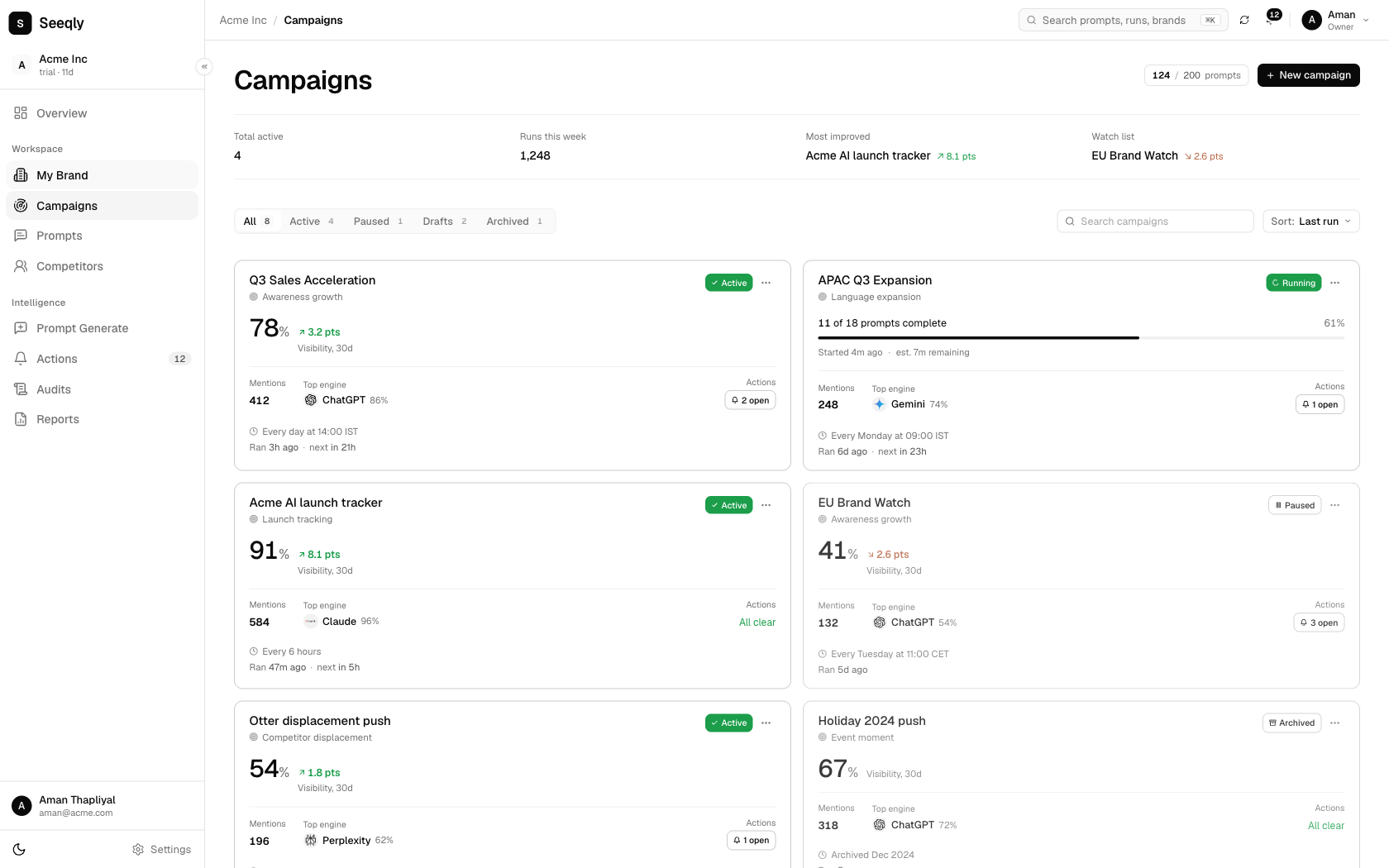
Illustrative Seeqly campaign interface using sample data. Group related questions so each campaign has a clear purpose. Open the image to inspect the details.
Write prompts with meaningful constraints
A useful question supplies the context that changes the answer: team size, use case, language, geography or a required capability. Avoid making every prompt a variation of "best tool."
Start with a set small enough that someone can read the answers. Add new questions when they represent a real gap in coverage. If you add many prompts halfway through a reporting period, note the change instead of comparing the resulting percentage directly with the old baseline.
Choose engines and settings available in your account. Keep those choices consistent for a comparison period, and document changes in coverage.
Review the answers behind the summary
Open individual prompt results before assigning work. Check whether your brand was mentioned, what was said about it and whether the answer included linked sources.
A mention, recommendation and citation are different observations. Your company might appear in a warning or a neutral list. A link to your guide may help the reader without recommending your product. Use the original answer to interpret the metric.
Likewise, a missing or failed run is not the same as a successful answer that omitted your brand. Review completion and sample size before explaining a change in the campaign total.
Keep calculations understandable
Suppose a campaign contains 20 completed sampled answers and your brand appears in six. The mention rate for that sample is 30%. This is an illustrative example; it is not a Seeqly customer result or a target every business should meet.
If a report includes share of voice, check its definition and competitor set. Adding another competitor or changing the denominator can change the number without changing any individual answer.
Report counts, dates and scope alongside percentages. That gives a teammate enough information to understand the result and reproduce the review.
Turn a campaign into a work queue
For each useful finding, record the prompt, answer, supporting links, affected URL and proposed change. Prioritize issues that affect a real buying decision.
An inaccurate integration claim may call for clearer documentation. Confusing pricing may need a better explanation of the billing period. An absent discovery mention needs more investigation before you conclude that publishing another article will help.
Assign an owner and recheck after the work is published. Tracking organizes evidence; it does not itself improve content or guarantee a recommendation.
Keep a steady review routine
Review a stable set of prompts at a cadence your team can maintain. Preserve old results, log product and content changes, and avoid treating a single unusual answer as a trend.
Once one campaign produces useful decisions, expand to another buyer task. If the results remain too broad to act on, narrow the campaign before adding more volume. The prompt tracking feature page and recommendation audit guide explain the next steps.
If you are choosing a platform for this work, use the AI visibility software buying guide to compare coverage, evidence and cost.